
Now delivering in NyeriPay with M-PesaSee the full price before you payMore towns soon
A wide pan of beef pilau, ready to serve
Pezta app home screen: shops near Kamakwa, Nyeri

How it works

From the shop down the road to your door

Pezta brings food, groceries and everyday things from shops in your mtaa. You pay with M-Pesa, and a rider who works for Pezta brings it to your gate.

The short version

Four steps, a few minutes

Order from your phone. Nothing is charged until you enter your M-Pesa PIN.

A fruit and vegetable stall

Find a shop near you

See the restaurants, dukas and chemists that deliver to your area, and when they close.

Chopped sukuma wiki with tomato

Add what you need

Pick your items, choose the portion, and add a note for the shop.

Pezta checkout with M-Pesa selected

Pay with M-Pesa

A prompt comes to your phone. You enter your PIN, on your phone, and that's it.

Chapati with stew

Open the door

Follow your rider on the map. They call if they can't find your gate.

Step by step

What happens when you order

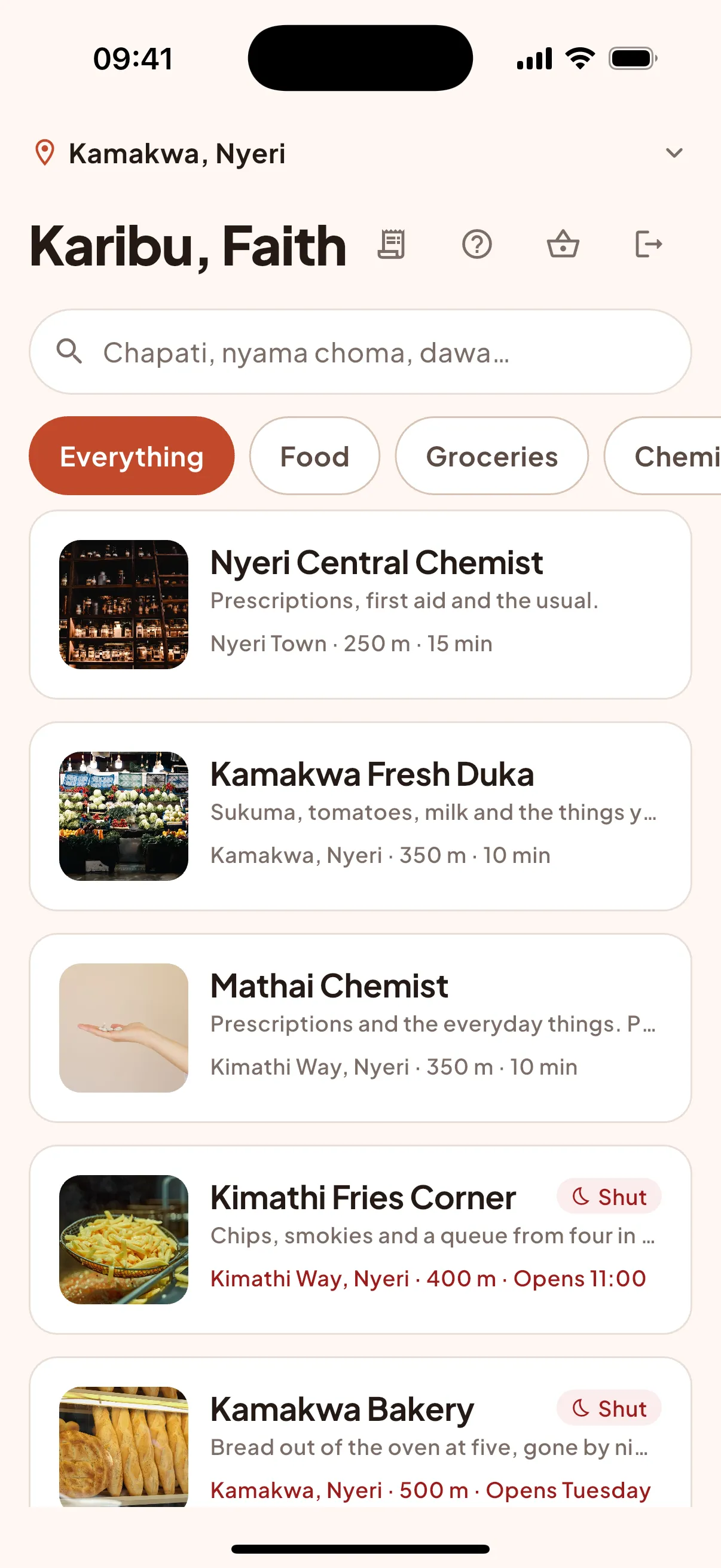
Pezta home screen listing shops near you with distance and opening times
1

Find a shop near you

Open Pezta and allow your location, or type your estate. You'll see the shops that deliver to you, how far away they are, and when they close.

  • Restaurants, kibandas, dukas and chemists
  • Closed shops show when they open
  • Search for a shop or a dish
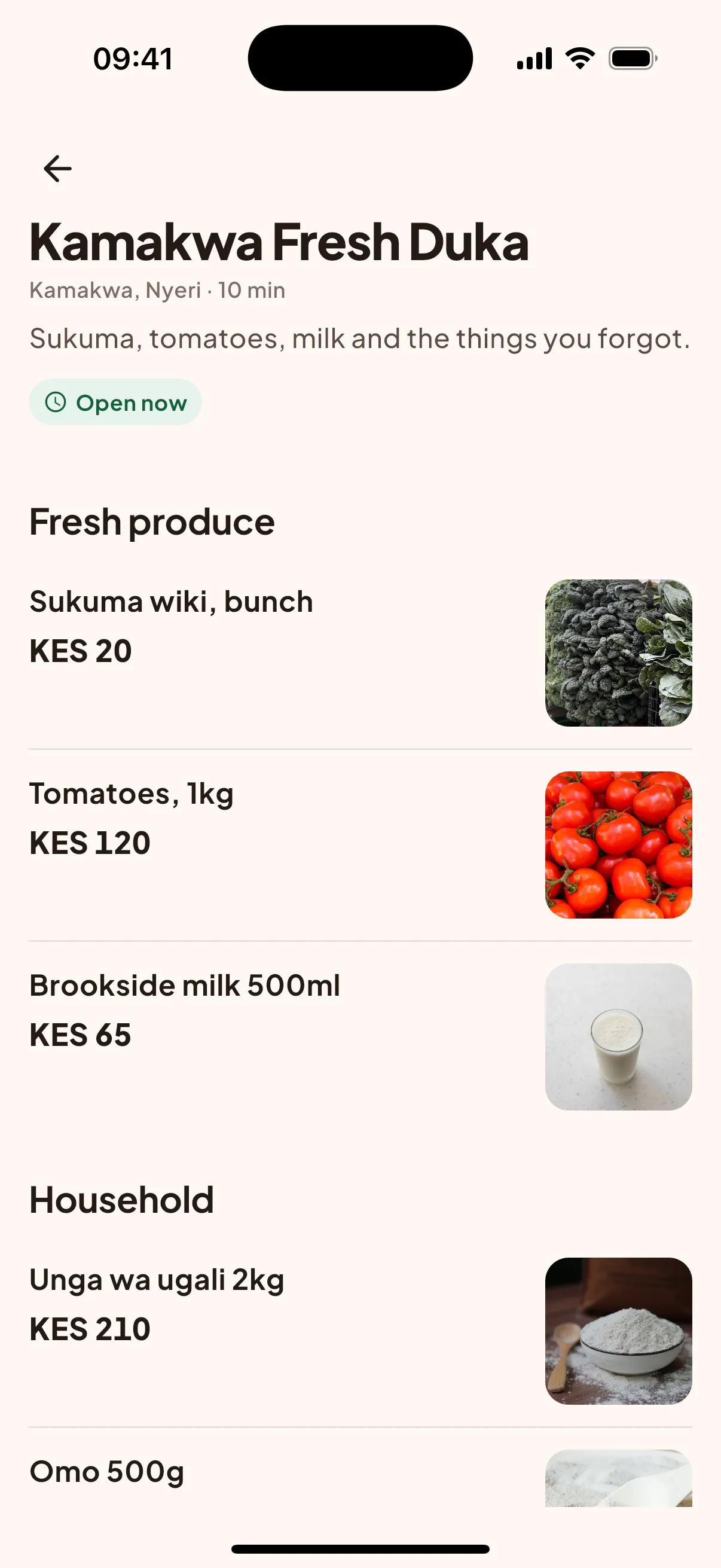
Kamakwa Fresh Duka's items in the Pezta app, each with its price
2

Add what you need

Every item shows its price. Choose the portion, and leave a note for the shop, like "no onions" or "ripe avocados please".

  • The shop's own prices
  • Notes go straight to the shop
  • Your cart shows every fee before you pay
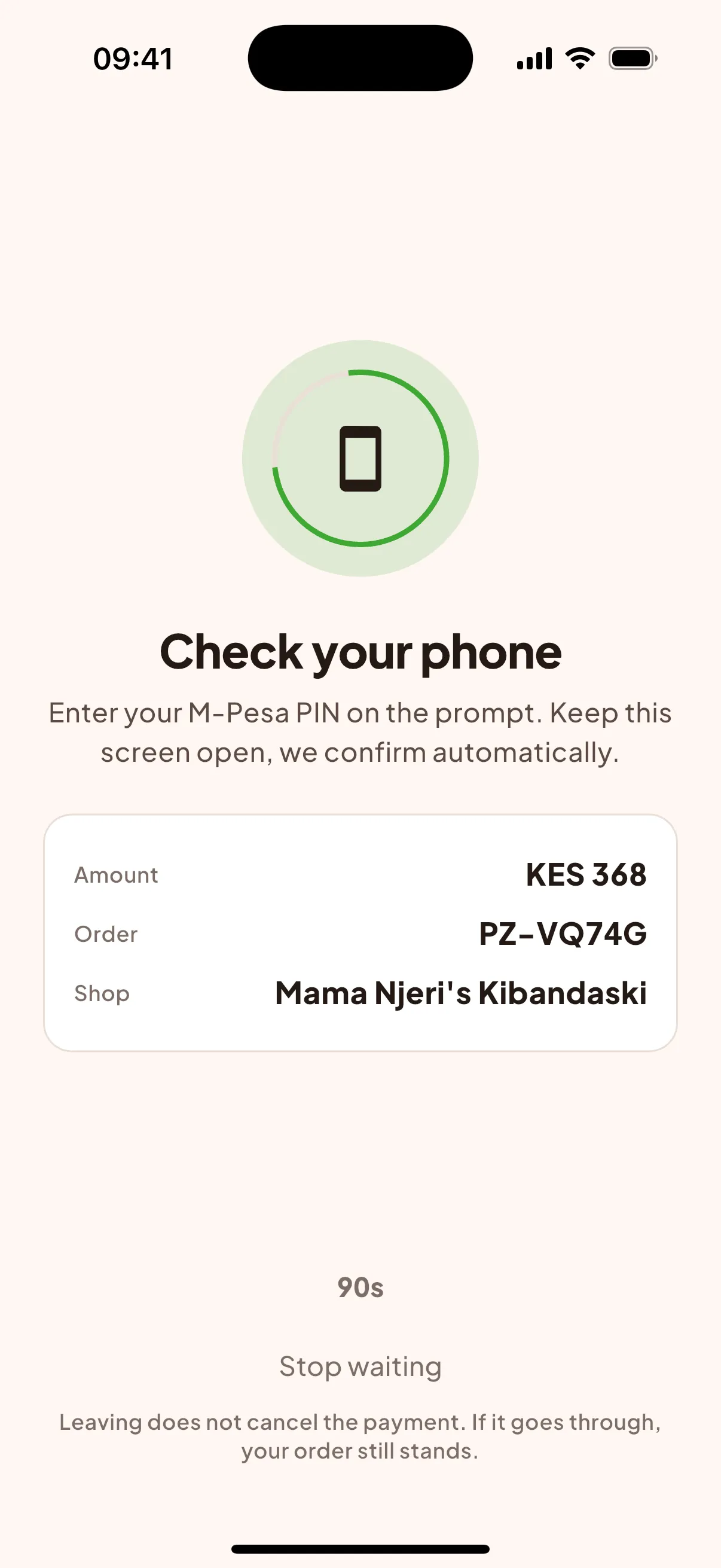
Pezta waiting for the M-Pesa PIN: KES 368 for order PZ-VQ74G
3

Pay with M-Pesa

Tap Pay and an M-Pesa prompt comes to the phone number on your account. Enter your PIN there. Nothing is charged before you do.

  • Pezta never asks for your PIN
  • Your M-Pesa SMS confirms the payment
  • If the prompt times out, send it again from the app
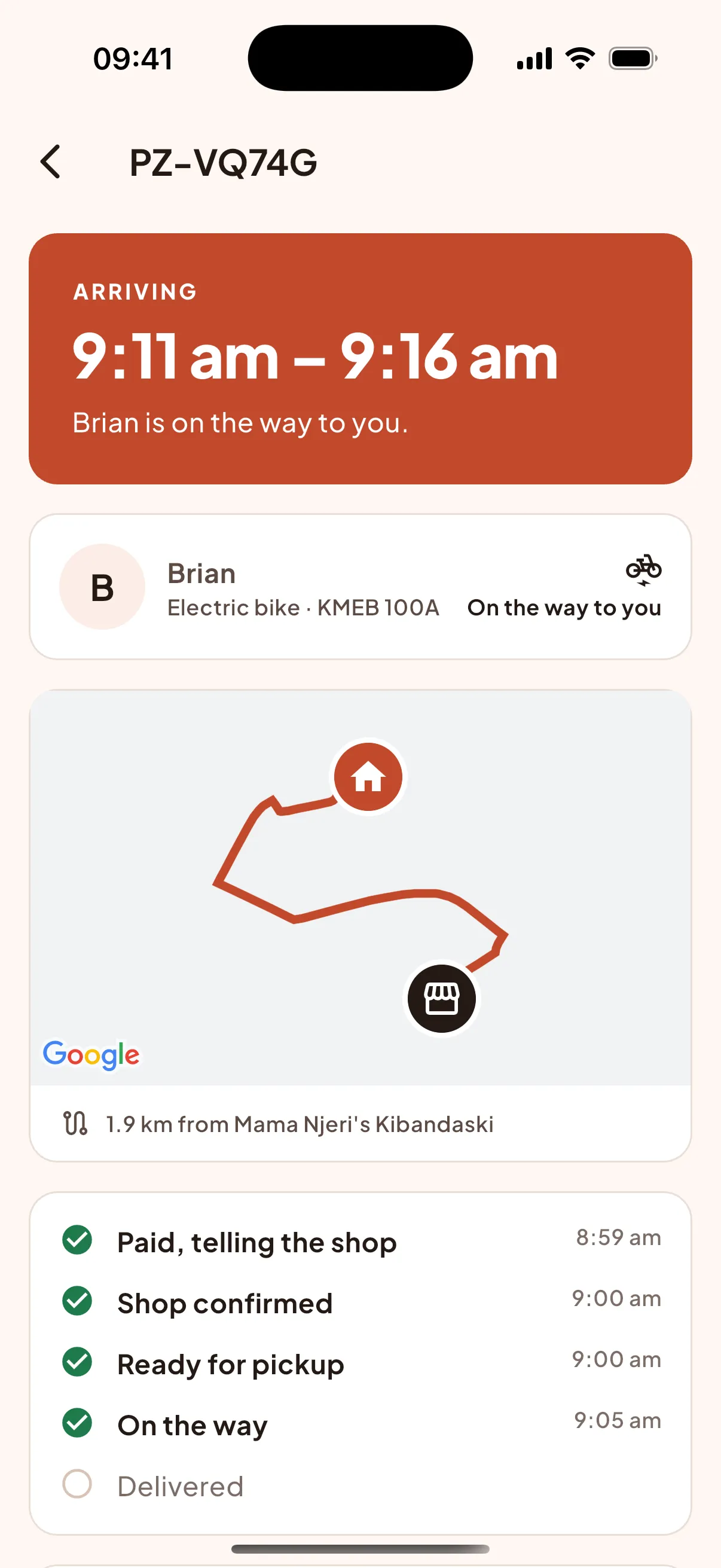
Pezta tracking screen: Brian is on the way, arriving 9:11 am to 9:16 am
4

Open the door

The shop packs your order and a Pezta rider collects it. Follow them on the map. Add a landmark to your address, like "green gate next to the posho mill", so they find you first time.

  • Call your rider from the app
  • One order on the bike at a time
  • The rider takes a photo at handover, so there's a record

No surprises

What you pay

Every shilling is on the screen before you tap Pay.

A bowl of unga

The shop's prices

Items cost what the shop charges. The shop sets its own prices on Pezta.

Beef pilau

A delivery fee

Based on how far the shop is from you. You see it before you pay.

The Pezta cart listing items, delivery, service fee and the total

Nothing hidden

Your cart lists every item and every fee. The total is what M-Pesa asks for.

There is a small service fee, shown in your cart. Some shops set a minimum order. The shop page shows it before you add anything.

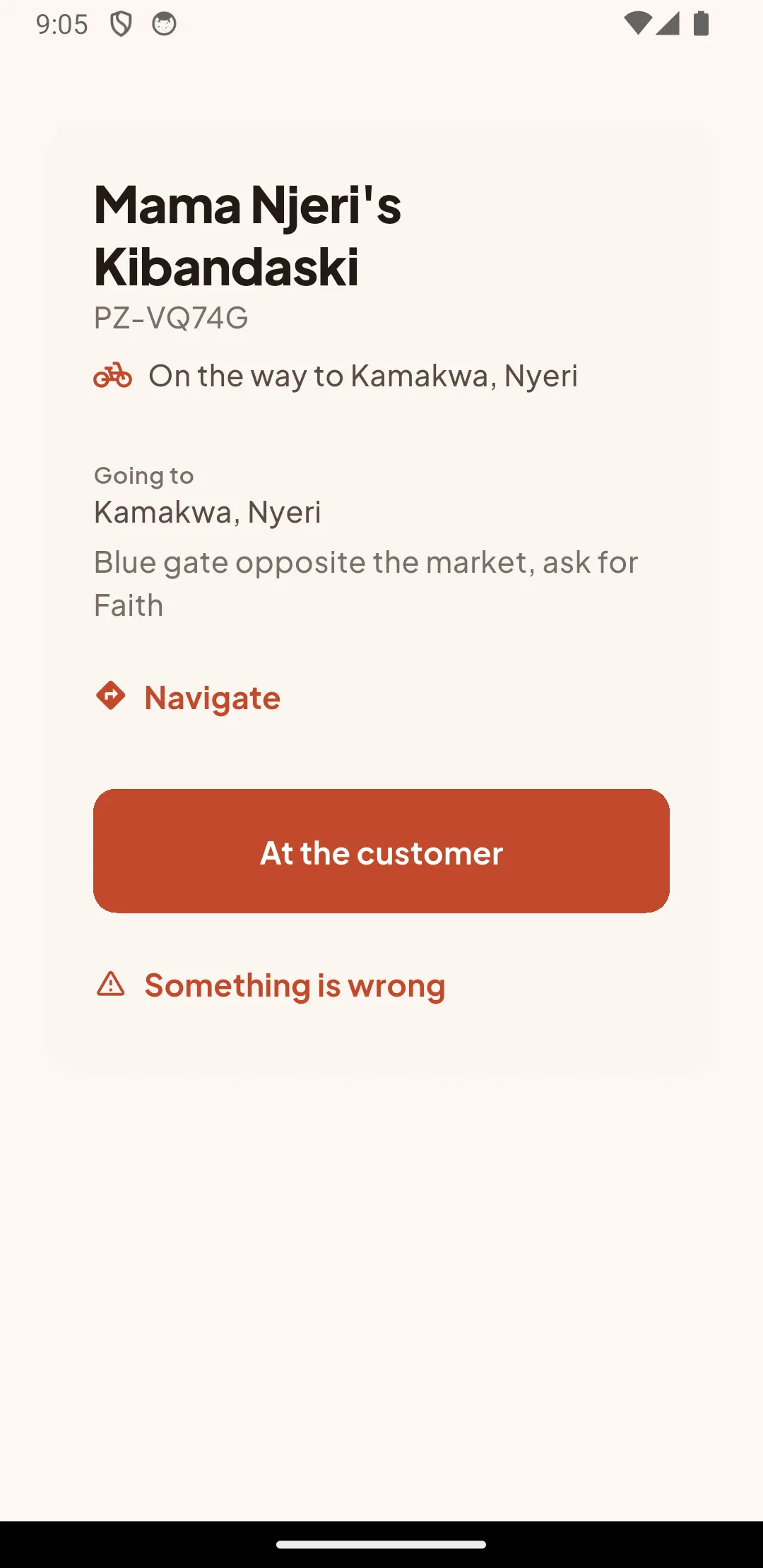
Pezta rider app: on the way to Kamakwa with the customer's gate note

Our riders

Riders who work for Pezta

Every Pezta rider is employed by Pezta. Not a gig, not a stranger with an app.

Pezta staff

Riders are on a Pezta employment contract, trained by our team in Nyeri.

Electric bikes

They ride Pezta electric bikes, charged at our base. No petrol fumes near your food.

One order at a time

Your order is the only one on the bike, so it comes straight to you.

They call ahead

If the gate is hard to find, your rider calls you. You can call them from the app too.

Want to ride with us? See rider jobs

Our story

Built in Nyeri, for the mtaa

We're a small Kenyan team. The best food and the freshest groceries are often at the small shops down the road, and those shops deserve the same reach as the big chains. Pezta puts them on your phone.

We hire our riders, we pay them properly, and we keep prices honest. If something goes wrong with an order, a real person in Nyeri picks up the phone.

We're starting in a few Nyeri neighbourhoods and adding more as we grow. Nairobi is next.

Fresh produce stacked on a duka counter

Questions

Before you order

With M-Pesa. Tap Pay, a prompt comes to your phone, and you enter your PIN. That's it.

It depends on how far the shop is from you. You see the delivery fee, and every other fee, before you pay.

Never. You only enter your PIN in the M-Pesa prompt on your own phone. If anyone who says they're from Pezta asks for it, hang up and call us on 0700 000 000.

Open the order in the app, tap Help and choose what's wrong. A photo helps. Tell us within 24 hours of delivery and we'll sort it out with the shop.

See all questions

Made by shops in your mtaa

Order from the shop down the road

Free on Android and iPhone. Pay with M-Pesa.